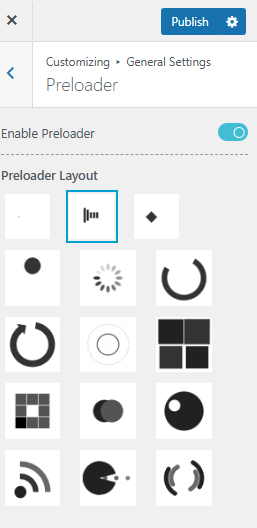
Pre-loaders are displayed when a user initiates an action, and the webpage begins to load. They are buffering animations that appear while the website’s resources are loading. Thus, pre-loaders play a significant role in enhancing user experience. The Yaatra Blog Theme offers three distinct options for customizing the loading animation.
To do so,
- Go to your WordPress dashboard, then navigate to Appearance>>Customizer
- Then go to General Settings, and then click on Pre-loader option in the list.
- First of all, you have to toggle on the Enable Pre-loader to make changes.
- There are three different options in the Yaatra Blog theme where you can change the Pre-loaders

- As per the image, you will have four different options for free version to choose from to customize your Preloader Layout.
Pro Features
For Preloaders, Yaatra Pro offers 15 different options to choose from options. You can choose them as per your preference.